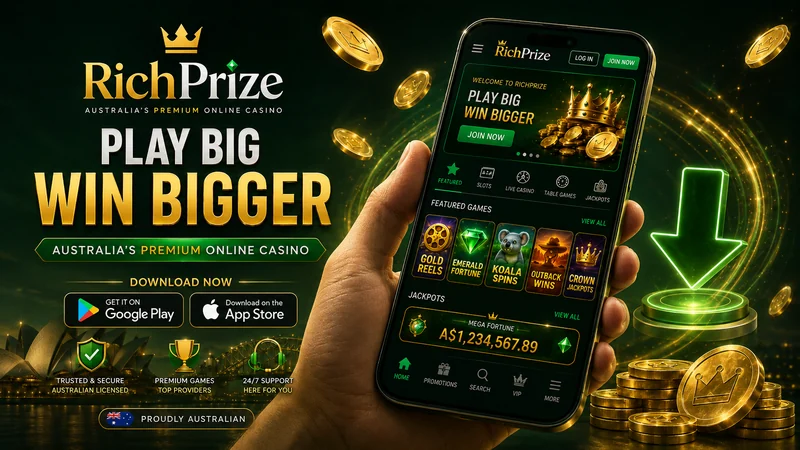
RichPrize advertises a mobile app for Android and iOS, and almost every guide to it stops at that sentence. The awkward part is everything that comes after: where the file actually lives, what your phone will say when you try to open it, why iPhone owners get a different product under the same name, and what to do when the whole thing refuses to load on your carrier’s connection. This page walks through all of it in order, with an honest note wherever the operator has not published something rather than a number invented to fill the gap.
One point to settle before the steps begin, because it changes how you should read every download guide on this brand. There is no public, direct link to a RichPrize APK file. The operator does not host one at a fixed, shareable address you can paste into a browser. Getting the Android build means going to the operator’s own site, opening its mobile app section, and taking the download it offers you there, which in practice usually means being signed in first. Any third-party page claiming to give you a permanent APK link, a version number and a file size for this brand is guessing at best. This page will not do that.
What the RichPrize app actually is
Strip away the marketing and there are two different things sharing one name. On Android you get a real installable package: a file you download and install outside the Play Store, which then sits on your home screen as a proper app with its own icon and its own storage. On iOS you get something closer to a bookmark with ambitions: a web application that Safari saves to your home screen, opens without browser chrome around it, and behaves like an app in most ways that matter to a player.
Neither one is a separate casino. Both talk to the same account, the same balance and the same game library that the desktop site uses. If you deposit A$50 on your laptop, it is there on your phone thirty seconds later. If you trigger a bonus in the app, it appears in your account on the browser too. This matters for expectations: the app is a delivery method, not a different product with different odds, different games or different terms. For the broader picture of what that account gets you, there is our full RichPrize breakdown covering the operator end to end.
The library behind both versions is the same one the desktop site serves, and its size depends heavily on who you ask. Published figures for this brand scatter across a wide range, which is worth seeing before you judge any claim about “thousands of games on your phone”.
The figure most consistently repeated is around 2,500 titles, and that is the number worth planning around. The catalogue is built from Pragmatic Play, Playtech and Evolution Gaming among others, so the mobile lobby carries pokies, live dealer tables, standard table games and the crash titles that have taken over so much of the offshore market. Everything in that list is playable on a phone.
Before you install: what needs to be in place
The installation itself takes about two minutes. Getting the pieces lined up beforehand saves you from the most common failure, which is downloading a file you then cannot use because the account behind it does not exist yet.
You will want an account already open. The download section on the operator’s site is generally gated behind a login, and even where it is not, the app opens on a sign-in screen that you cannot get past without credentials. If you have not done that step, create an account first on the desktop or mobile site, verify your email, and come back to the download once you can log in. Registration is quicker in a browser than in a freshly installed app anyway, because password managers and autofill behave better there.
You also want a stable connection for the download itself. The install package is not enormous, but a dropped connection halfway through produces a corrupted file that Android will refuse to open with an unhelpfully vague error. Wi-Fi is the safer choice, and it saves you arguing with a mobile data allowance.
Finally, check you have room. A gambling app that has to cache game assets will grow well beyond its install size over the first few weeks of use. Going in with a phone that has 200 MB free is asking for the crashes described further down this page.
How to install the RichPrize app on Android
Android installs from outside the Play Store are routine, and the operating system is designed to allow them; it just asks you to confirm that you meant to. The sequence below is the standard one for any casino APK and applies here.
- Open the operator’s site in Chrome on the phone itself. Stick to the phone’s regular mobile browser tab. The site serves the mobile download only to a mobile browser, and a desktop user agent will show you the web version instead.
- Log in to your account. The app or download section is usually reachable from the main menu, often labelled “Mobile”, “App” or shown as an Android icon in the footer.
- Tap the Android download. Chrome will warn you that this type of file can harm your device — that warning appears for every APK ever downloaded, including entirely legitimate ones, and does not indicate anything specific about this file. Choose to keep it.
- Wait for the download to finish completely. Opening a partially downloaded package is the single most common cause of “app not installed”.
- Tap the downloaded file from the Chrome downloads bar or from your Files app, in the Downloads folder.
- Grant the permission Android asks for (covered immediately below), then confirm the install.
- Open the app and sign in. Your balance, bonus status and history are already there — nothing needs to be transferred.
Allowing installation from an unknown source
On Android 8 and newer, the permission is per-app rather than a single global switch, which trips up people following older instructions. You are not turning on “unknown sources” for the whole phone; you are telling Android that this particular browser is allowed to install things.
When you tap the downloaded file, a dialogue appears saying your phone is not allowed to install unknown apps from this source. Tap Settings in that dialogue and it takes you straight to the right screen, where you enable Allow from this source for Chrome. Press back once and the install continues from where it stopped.
If you want to find it manually instead, the path is Settings → Apps → Special app access → Install unknown apps → Chrome. Some manufacturers move it: on Samsung devices it sits under Settings → Apps → the three-dot menu → Special access, and on Xiaomi it can appear under Settings → Privacy protection → Special permissions. The wording changes, the function does not.
Turning the permission back off after installing is a reasonable habit and does not affect the installed app in any way. It only governs future installs.
When Play Protect blocks the installation
Play Protect is Google’s built-in scanner, and it flags gambling apps distributed outside the Play Store as a category, not because it has analysed this specific file and found something in it. Google’s own store rules restrict real-money gambling apps in most markets, so anything in this category arriving by download gets the same treatment.
What you see is a screen saying the app was blocked, or an “unsafe app blocked” warning with a prominent Cancel button and a much quieter Install anyway or More details option. Tapping the small option lets the install proceed. On some builds you need to expand “More details” before the install option becomes visible at all; that is deliberate design, not a bug.
The judgement call is yours and it rests entirely on where the file came from. A package downloaded minutes ago from the operator’s own domain, over a connection you control, is a very different proposition from one pulled off an APK aggregator. If you cannot say with confidence which of those describes your file, delete it and start again from the operator’s site.
Keeping the app updated
Because the app sits outside the Play Store, nothing updates it automatically. Updates arrive one of two ways: the app itself prompts you on launch and fetches the new build, or you go back to the download page and install over the top. Installing over an existing version keeps your data — you do not need to uninstall first, and you will not be logged out.
An app that has gone months without an update is a common root cause of the loading failures further down this page, because the games it is trying to display have moved on and it has not. If something has been misbehaving for a while, reinstalling the current build is a faster fix than troubleshooting the old one.
How to use RichPrize on iPhone and iPad
Here is the honest version, which differs from what a lot of pages will tell you. Apple’s App Store rules on real-money gambling apps are restrictive and geographically fenced, and offshore casino brands of this type are generally not distributed there for Australian users. Searching the App Store for this brand is not a productive use of your time.
What you get instead is a progressive web app: the mobile site, saved to your home screen, running full-screen without the Safari address bar. It is a genuinely capable format (Apple’s own web app support has been good for years), and for a casino, which is mostly a lobby, a game window and a cashier, it covers nearly everything.
Adding RichPrize to your home screen in Safari
- Open the site in Safari. This has to be Safari — Chrome and Firefox on iOS cannot add a working web app to the home screen, only a plain bookmark.
- Log in first. Doing this before you save the shortcut means the saved app usually opens already signed in.
- Tap the Share button — the square with the upward arrow, at the bottom of the screen on an iPhone and at the top on an iPad.
- Scroll down and choose “Add to Home Screen”. If you do not see it, scroll further in the list or tap “Edit Actions” and enable it.
- Name it and tap Add. The icon lands on your home screen and behaves like any other app from that point on.
Delete it the way you delete an app — press and hold, then remove. Nothing is left behind on the device beyond ordinary Safari data.
What the iOS version can and cannot do
It can do the things you came for: browse the full lobby, play every game in it, deposit, withdraw, claim bonuses, contact support and place sports bets. Game performance is effectively identical, because the games themselves are streamed HTML5 either way.
Where it falls short is at the edges. Push notifications through a home-screen web app on iOS are supported in recent versions but inconsistent in practice, so treat promotional alerts as unreliable rather than guaranteed. Biometric login through Face ID depends on Safari’s saved credentials rather than an in-app implementation. And if you clear Safari’s website data, the shortcut stays but you will be signed out.
App versus mobile browser: which is actually better
Plenty of players skip the install entirely and simply use the site in a browser. That is a legitimate choice, and on iOS the distinction nearly disappears. The table below sets out where the two genuinely differ.
| Aspect | Installed app (Android) | Mobile browser |
|---|---|---|
| Launch and lobby speed | Faster after the first run — interface assets are stored on the device, so only game and balance data comes over the network | Reloads more of the interface each visit; noticeably slower on a weak connection |
| Notifications | Native push notifications for promotions, bonus expiry and account messages | None unless you have granted browser notification permission, which many players decline |
| Storage used on the device | A permanent install that grows as game assets are cached | Effectively nothing beyond ordinary browser cache, which the phone clears on its own |
| Access to sections | Full casino, live dealer, crash games, sportsbook and cashier | Identical — no section is held back from browser users |
| Updates | Manual: prompted in-app or reinstalled from the site | Automatic — you always load the current version |
| Getting started | Download, permission dialogue, Play Protect prompt, install | Open a URL and log in |
| If the domain becomes unreachable | The app can keep working if it points at a reachable address, or fail with a connection error | Fails immediately with a browser error |
The short version: on Android the app is worth the four extra taps if you play more than occasionally, mostly for speed and notifications. If you play once a month, the browser is fine and costs you nothing in features. On iOS the home-screen shortcut is essentially the browser with a nicer front door, so install it for convenience rather than capability.
Open the RichPrize app sectionDevice and connection requirements
The operator does not publish a formal minimum specification, so what follows is the practical floor for HTML5 casino software of this generation rather than a figure lifted from a spec sheet.
| Requirement | Android | iOS |
|---|---|---|
| Operating system | Android 8.0 or newer runs current casino builds comfortably; Android 6 and 7 devices will often install but stumble on live dealer streams | iOS 14 or newer for reliable web app behaviour; iOS 16.4 and above for any chance of push notifications working |
| Free storage | At least 200 MB free at install, and closer to 1 GB free overall so cached assets have somewhere to go | Minimal at install, but Safari needs headroom for cached game data |
| Memory | 2 GB RAM is workable for pokies; 3 GB or more before live dealer video is pleasant | Any iPhone from the last six years handles it |
| Connection | Around 1 Mbps is enough for pokies and crash games. Live dealer video wants 5 Mbps and, more importantly, a stable connection — a fast link that drops packets is worse than a slower steady one | |
| Browser | Chrome for the download; the installed app does not depend on it afterwards | Safari specifically, for the home-screen install to work |
Battery deserves a mention that specification tables usually skip. Live dealer video is one of the most demanding things a phone can do — sustained video decoding, screen at full brightness, radio active throughout. An hour at a live blackjack table will cost noticeably more battery than an hour of pokies, and a phone that throttles when hot will start dropping frames in the stream before it warns you about anything.
What you can actually do inside the app
Everything the desktop site does. That sounds like a boast but it is really a warning against a common assumption: some operators ship stripped-down apps, and it is worth confirming rather than presuming.
Pokies and live tables on a phone screen
The bulk of the catalogue is pokies, and they are the games best suited to a phone: portrait orientation, one thumb, no small print to squint at. Pragmatic Play’s titles in particular were designed mobile-first and lose nothing on a small screen. The mobile pokies selection mirrors the desktop lobby exactly, filters included.
Live dealer content from Evolution Gaming is the opposite case. It works, and the video quality is good, but a blackjack table designed for a monitor gets busy on a 6-inch screen once side bets and chat are in play. Turning the phone landscape helps considerably. Crash games sit somewhere in between: they are simple enough visually that the small screen costs you nothing, though a mistimed cash-out because your thumb was in the wrong place is a genuinely mobile-specific way to lose money.
Banking from the app
The cashier is the same one, with the same limits: a minimum deposit of A$15 and a minimum withdrawal of A$30. Cards (debit only), Skrill, Astropay, Jeton, Ezee Wallet, Neosurf for deposits, cryptocurrency in Bitcoin and Ethereum, and bank transfer are all available in the app exactly as they are on desktop.
Two things to know before you tap through. First, since 11/06/2024 credit cards cannot be used for online gambling by Australian players, so a card deposit means a debit card; if a card is declined, this is the first thing to check, and the app will not always explain the reason clearly. Second, Neosurf is a deposit method only; you cannot cash out to it, so use something else if you want a single method both ways. The mechanics of each option are covered in more detail under in-app deposits.
Withdrawals run from the same menu, though the identity checks behind them are where mobile users most often get stuck: uploading documents from a phone camera is easy, but photographing a document badly enough to be rejected is easier still. Good light, all four corners in frame, no glare. The process and its timings are set out in withdrawals from the app.
These three thresholds govern your account whichever way you access it, and they are the numbers worth remembering before your first session.
Sports betting on the app
The sportsbook is built into the same app rather than split into a second download, which is a genuine convenience: one balance, one login, one set of documents. It carries the markets you would expect for an Australian audience alongside the international football and tennis that make up the bulk of offshore books. In-play betting on a phone is the strongest argument for the installed version over the browser, because a second of loading delay genuinely matters when a price is moving. There is more on markets and pricing in our guide to betting on mobile.
Troubleshooting: when things go wrong
Most app problems fall into five buckets. Work through them in the order given, because the cheap fixes solve the majority of cases.
The app will not install
“App not installed” almost always means one of three things. The download was incomplete: delete the file and download it again, on Wi-Fi. There is not enough free storage — Android needs roughly double the package size free during installation, not just the final size. Or an older copy is already present and conflicting: uninstall the old one, then install the new file cleanly.
A fourth possibility is that the file was downloaded through a desktop browser and transferred across, which sometimes corrupts it. Download on the phone that will run it.
The app crashes on launch or mid-game
Clear the app’s cache first: Settings → Apps → the app → Storage → Clear cache. Note that “Clear cache” is safe while “Clear data” logs you out and resets preferences; use the first one only. If crashes continue, restart the phone, because a casino app fighting for memory with fifteen background apps will lose.
Persistent crashing on an older device usually means the app has outgrown the hardware. The browser version is lighter and is the sensible fallback rather than a defeat.
You cannot log in
Check that you are typing the password rather than letting an autofill entry from a different mirror of the brand fill it in — this is a surprisingly common cause, because the operator runs several domains and password managers store them separately. If a reset email does not arrive, look in spam before assuming the account is locked.
An account can also be restricted pending verification, in which case the login screen may be unhelpfully generic about why. Support is the only way through that one, and they will ask for documents.
Games will not load
A spinning loader that never resolves is nearly always the network rather than the app. Switch between Wi-Fi and mobile data to test: if it works on one and not the other, the fault sits with that connection, and the device is fine. Some networks, particularly corporate or public Wi-Fi, filter gambling traffic by default.
If only one provider’s games fail while everything else runs, that provider is having an outage and it will resolve on its own. If the entire lobby is empty, that is a session problem: log out fully, close the app, reopen and log back in.
The app or site will not open at all
Here the cause is often not on your phone. Australia’s communications regulator, the ACMA, maintains a list of offshore gambling domains and directs internet service providers to block them, which means a domain that worked last month can simply stop resolving on your home connection. The symptom is distinctive: an immediate connection or DNS error rather than a slow load, and it typically affects every device on the same network.
The legitimate paths forward are narrow and worth stating plainly. Contact the operator’s support, who can confirm which of their addresses are currently serving Australian players, and use the official address they give you. Do not go looking for a workaround on a forum. The links you will find are overwhelmingly phishing clones set up to harvest the credentials of players in exactly this situation, and handing your casino login to one of those is a considerably worse outcome than not playing tonight. More scenarios of this kind are collected under app troubleshooting.
Safety: only take the file from the operator
This section exists because the Android download model creates a specific risk that the Play Store normally absorbs on your behalf. When you install from a store, someone has checked the package. When you install an APK, the only guarantee you have is the source it came from.
Search the brand name plus “APK” and you will find aggregator sites offering the file. Some are simply lazy mirrors. Others distribute repackaged builds with additional code inside — the app looks correct, the login screen is pixel-perfect, and your credentials go somewhere they should not. Because a casino app holds a payment relationship, it is a high-value target for exactly this treatment.
The rules are short. Take the file from the operator’s own domain and nowhere else. Check the address bar before you tap, since typo-squat domains one character away from the real one are standard practice in this space. Ignore anyone messaging you a download link, whoever they claim to be. And if a downloaded app asks for permissions that make no sense for a casino — reading your SMS, accessing your contacts, drawing over other apps — stop and uninstall it, because a gambling app has no legitimate use for any of those.
It is also worth being clear about what the licence covers. The operator holds a Curaçao licence and has not published its licence number, so verifying it against the registry is not possible from the outside. It does not hold an Australian gambling licence, and no offshore operator serving this market does. That is the standing position for this entire category and it is examined properly in the full casino assessment; read it before you decide how much money the app is going to see.
Common questions about the RichPrize app
Is there a RichPrize app in the Google Play Store?
No. Google restricts real-money gambling apps in most markets, so the Android build is distributed as a direct download from the operator’s own site rather than through the store. That is normal for this category and is not a signal about this operator specifically.
Where exactly do I find the APK download?
In the mobile app section of the operator’s site, opened on the phone you intend to install it on, generally while logged in. There is no public permanent link to the file, so treat any third-party page offering one with suspicion.
How big is the app and what version is current?
The operator does not publish a file size or version number, and neither does any source we could verify. Anyone quoting you precise figures for this brand is repeating a guess. You will see the actual size in your downloads once the file lands.
Does the welcome bonus work in the app?
Yes. The A$9,000 plus 150 free spins package is attached to the account rather than to a device, so it is claimable and playable through the app on the same terms. The wagering multiplier is quoted anywhere between 12x and 35x depending on the source, and the maximum bet while a bonus is wagering is A$5 — check the terms shown inside your own account, because they are the ones that count.
Can I have the app on more than one device?
Yes, and it is the normal way to use it: the Android app on a phone, the home-screen web app on a tablet, the site on a laptop. One account, one balance, no transfer needed. Running the same game session on two devices at once is the only thing that will cause trouble.
Will uninstalling the app close my account?
No. The app is only a client. Removing it leaves the account, the balance and any pending withdrawal completely untouched, and you can log back in from a browser at any time. Closing an account is a separate request made to support.
Get the RichPrize app for AndroidAbout this guide
Written and maintained by Nathan Reilly, a casino analyst based in Melbourne covering offshore operators that serve Australian players. This guide was assembled from the operator’s own published material on its mobile product, from the documented behaviour of Android and iOS when installing applications outside their stores, and from the payment and bonus terms verifiable across the brand’s live pages. Where the operator publishes nothing — a licence number, a file size, a version string, a permanent download address — this page says so rather than filling the gap with something invented.
Details are current as of 03/09/2026. Mobile builds, payment options and domain availability all change without notice, so what you see inside your own account and on the operator’s current site takes precedence over anything written here.
Gamble responsibly. 18+ only. An app makes gambling faster and more available, which is precisely why it is worth setting your limits before you install rather than afterwards. Decide what a session costs you, set a deposit limit in the account, and treat the money as spent the moment it goes in. Never chase losses and never deposit money that is meant for something else. Free, confidential support is available in Australia 24 hours a day through the National Gambling Helpline on 1800 858 858.